Adding Twists and Conductors to a Cable
In this example we will create a Cat 6 Ethernet Patch Cable in a library.
1. Right-click the library or subfolder where the cable will be added, select Add, Cable.
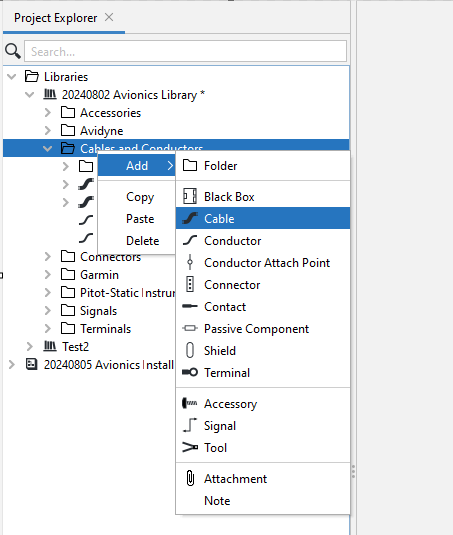
2. Name the new cable "CAT-6".
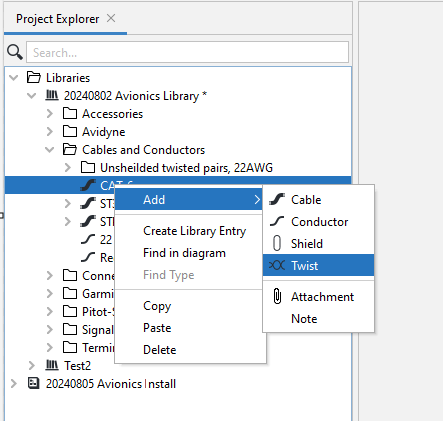
3. Right-click on CAT-6, select Add, Twist.
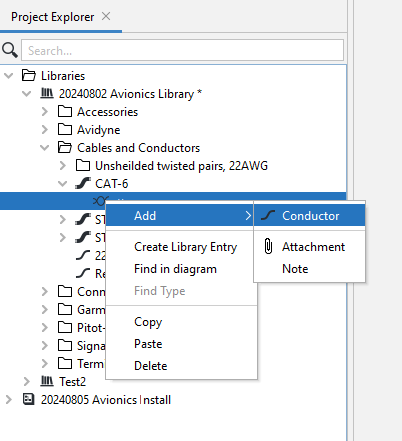
4. Right-click the new twist, select Add, Conductor. Then repeat to add a second conductor.
5. Select the twist, press CTRL+C to copy it, then press CTRL+V three times to make three copies.
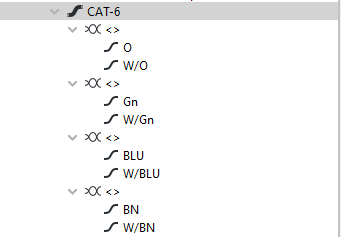
6. Expand the first twist, select the first conductor and give it the name "O" for Orange. Select the second conductor and give it the name "W/O" for White/Orange. Repeat for the Green, Blue and Brown pairs.
The resulting cable is shown below.