Adding a Shield and Conductors to a Cable
In this example we will create a shielded cable in a library.
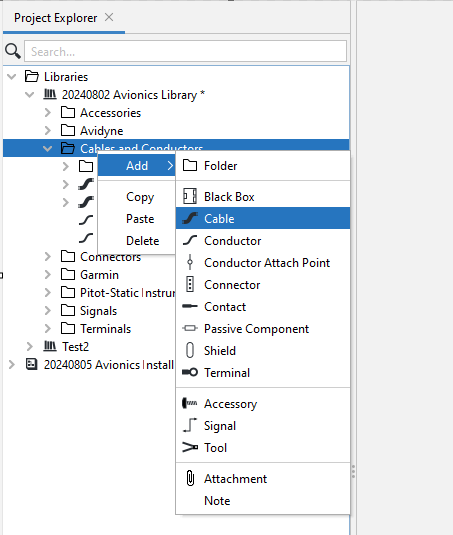
1. Right-click the library or subfolder where the cable will be added, select Add, Cable.
2. Name the new cable "STP" for Shielded Twisted Pair.
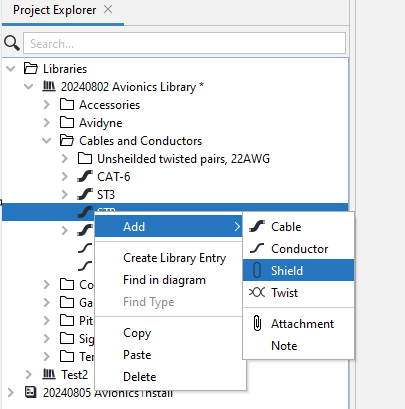
3. Right-click on STP, select Add, Shield.
4. Right-click the new Shield, select Add, Twist.
5. Right-click the new Twist, select Add, Conductor. Repeat to add a second conductor.
6. Select the first conductor and give it the name "W" for White. Select the second conductor and give it the name "W/BLU".
The resulting cable is shown below.