Object IDs
Each object is allocated a unique ID, that is either allocated by the system or can be allocated by the user.
Depending on what type of object it is, the ID is usually preceeded by a specific letter, such as J for Connectors. However, IDs are free-text fields, so there are is no naming requirement.
|
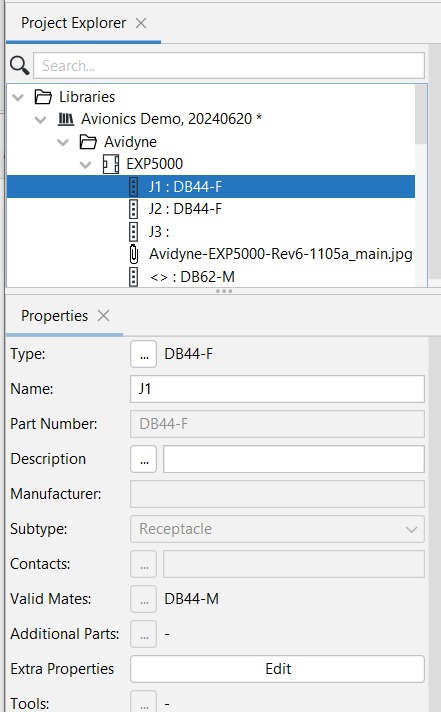
In this example, J1 and J2 are Connectors, with the letter J usually allocated to connectors and the 1, 2, etc. the series numbers for that category of objects. J1 and J2 are also followed by : (colons) and then the specific Type of Connectors, DB44-F in this case. The Type or Definition of the object is the specific Instance of the object, which is allocated in the Properties Panel and can be changed when required.
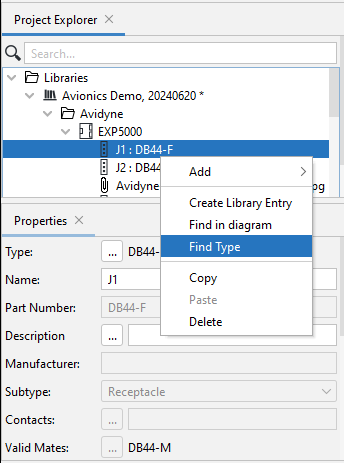
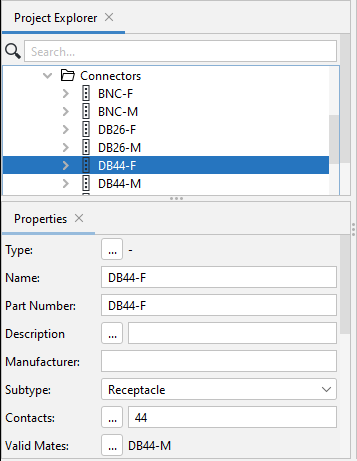
When right-clicking on Connector J1 : DB44-F, a list of possible actions appear; when selecting Find Type, the system goes to the list of available Connectors in the Folder of Connectors. Also seen in this example is a 3rd Connector, J3 that has not got a specific Definition - there is nothing after the : (colon). For this Connector a specific Type or Defintion can be allocated in the Properties Panel. As can be seen from the example there is also another instance of a Connector, of Type DB62-M that do not yet have an ID allocated to it, but can be allocated as required. |
|