Show BOM
This option allows you to display the Bill of Materials (BOM) of an Open Poject. The BOM lists all the objects in the model except those that have Show in BOM unchecked in the Properties panel.
To display the BOM click on Tools of the Main Menu, and select BOM. Following is an example of a BOM:
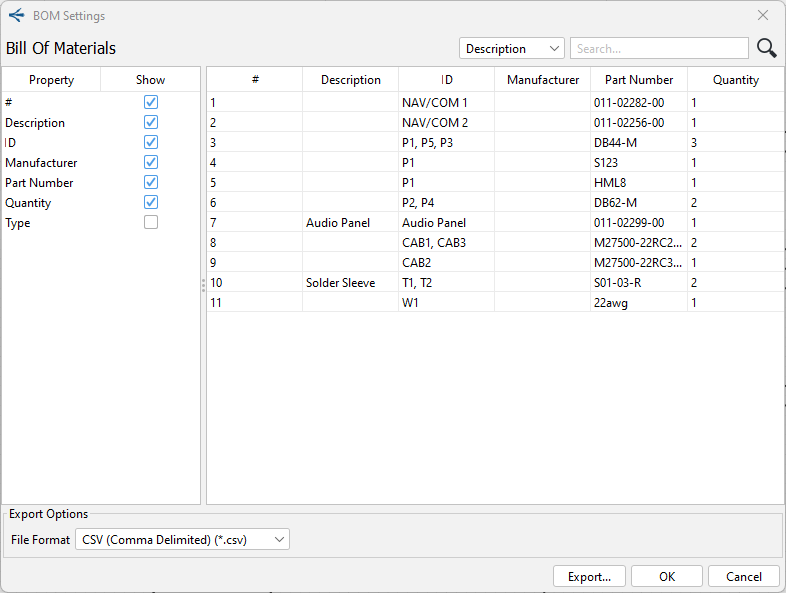
It is also possible to select what should or should not be displayed.by checking or unchecking the
Check Boxes on the left hand side of the window.
You can also export the BOM in csv, txt, pdf and html formats.
The BOM can be displayed at any time, regardless of whether the Project and/or the diagram has been completed or not.