Adding Part Numbers to Cables on a Diagram
To add the part number of a cable to a diagram:
1. Drag the cable symbol  from the model to the diagram. Press CTRL then release the mouse button. The Show Labels pop-up shown below will appear.
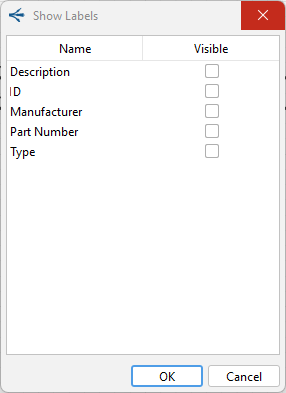
2. Click the check box next to Part Number, then click OK.
3. A label with the part number will appear on the diagram. Drag to place it where it is needed.
Related Topics:
Working with Object Labels in a Diagram