Adding a Connector to a Project
A Connector can be added to a Project in the following ways:
1. Create aConnector in the Model folder or a subfolder by right clicking the folder or subfolder, selecting Add from the context menu, then selectingConnector.
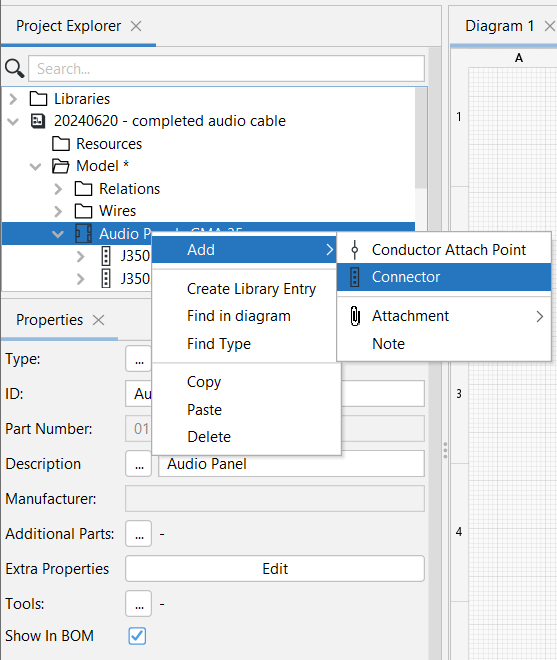
2. When a Connector object existing in a Library is dragged onto the Project Diagram, an Instance of the Object is created in the Project Model.
Related topics:
Instantiating a Connector in a Project.