Ascertaining a Connector Type
The connector Type is the Defintion or Attributes of the connector.
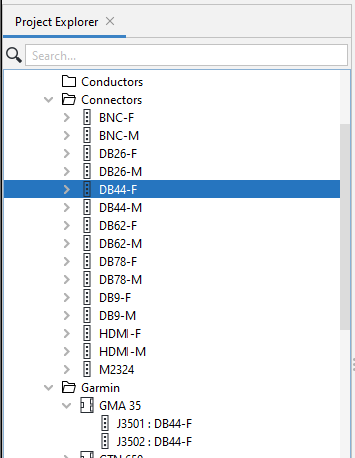
Connectors are designated by their names or IDs (e.g. J3501) and their types (e.g. DB44-F in the example below).
The type is specified/displayed in the Properties Panel Type field. When the ... icon after Type is clicked, a pop-up list of potential types in the library appears.
The Type of a connector in a Library can be ascertained by right-clicking on the connector and then selecting Find Type in the drop-down list.
The connector ID (J3501 in the example below) is followed by its Type, with a colon in the middle.
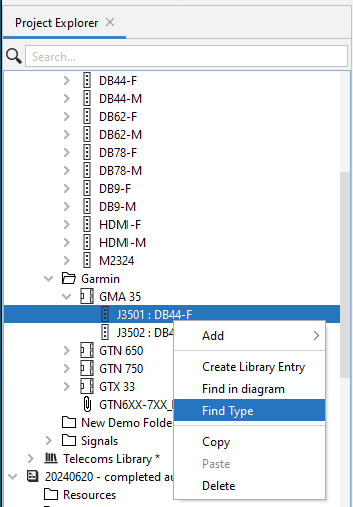
This then takes you the applicable connector in the list of available connectors, DB44-F in this example.