Editing the Diagram Title Block
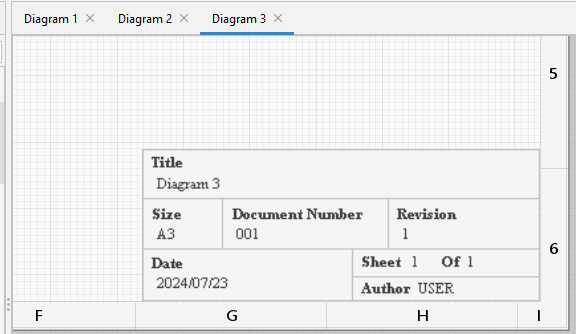
The Diagram Title Block appears at the bottom right of the diagram
|
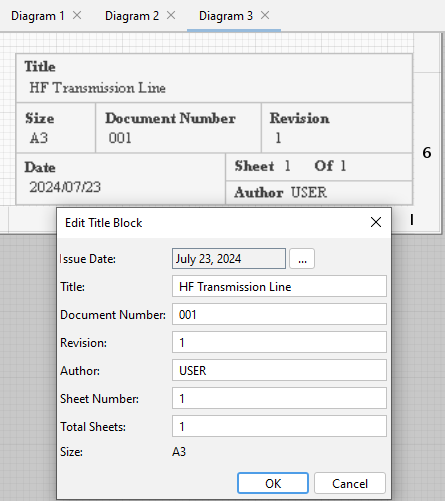
By double clicking on it, it can be edited, by changing the Date, Title, Sheet Number; Number of Sheets, Document Number, Revision. The diagram title defaults to the diagram name in the model, but may be changed.
|
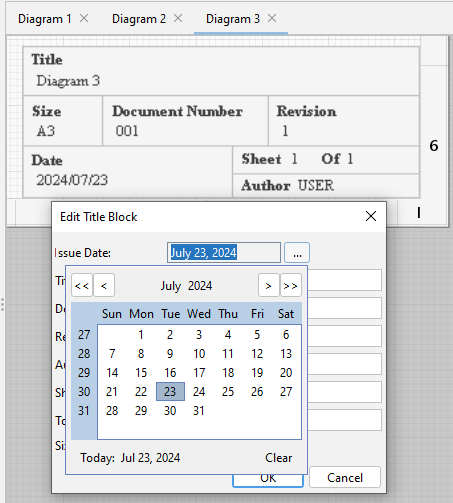
By clicking on the ... icon next to the Date, a calendar will open enabling you to set the date.
Note: Although the Size of the diagram is set to A3 in the Diagram Title Block one can set the Paper Size in the Main Menu, File, Print option. |
.