Extending and/or Editing a Project
A project may be Extended/Added to in the following ways:
1. By by right-clicking on the Project's Model folder, selecting Add, and then select the object to be added from the dropdown list.
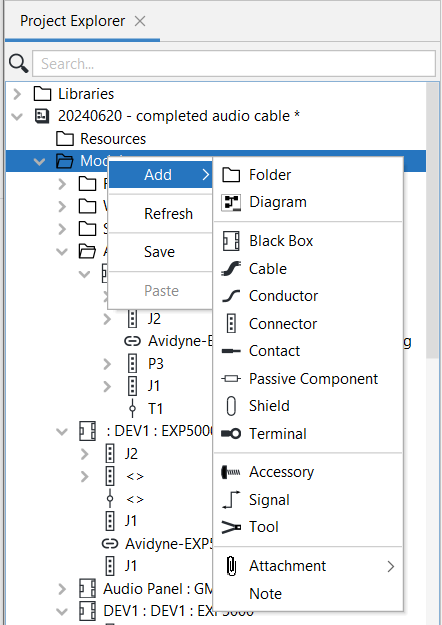
2. By dragging an object from the Library onto the Diagram Panel. This creates an instance of that object in the Project Model.
3. By copying an existing object in the Model by right clicking on the object and selecting Copy and then Paste to add it into the model folder.
Related Topic
Adding Elements to and Deleting them from the Model