Adding a Black Box to a Project
There are several ways to add a Black Box to a Project.
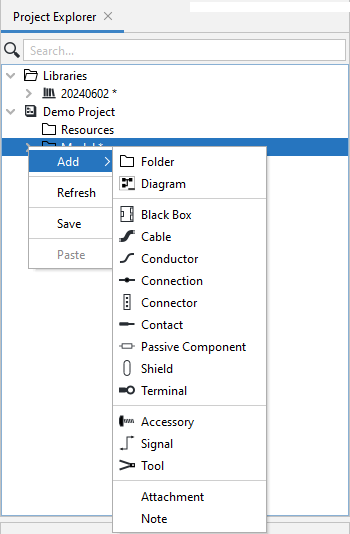
- Create a Black Box in the Model folder or a subfolder by right-clicking the Model folder, selecting Add from the context menu, then selecting Black Box.
2. Instantiate a library black box.
3. Click the Black Box icon () in the Main Toolbar then click on a Project Diagram. This will place a Black Box symbol () on the diagram and a Black Box object in the Model.
Related Topics: