Defining Connector Subtypes and their Valid Mates
A Connector Subtype is defined in the Properties Panel
Note: One can only define Valid Mates from a Library Connector, as this cannot be done with a Connector created in the Project Model, unless it is an Instance of a Library Connector (i.e. that inherited its attributes).
|
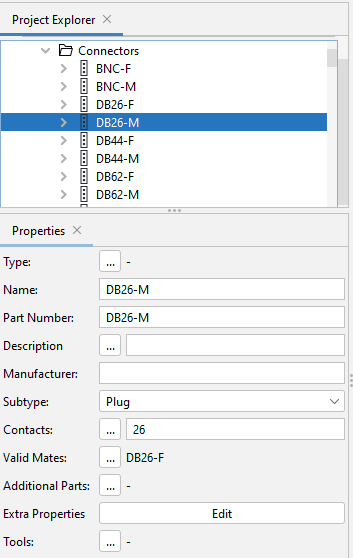
In this example Connector DB26-M is defined as a Plug, its number of contacts as 26 and its Valid Mate is DB26-F
|
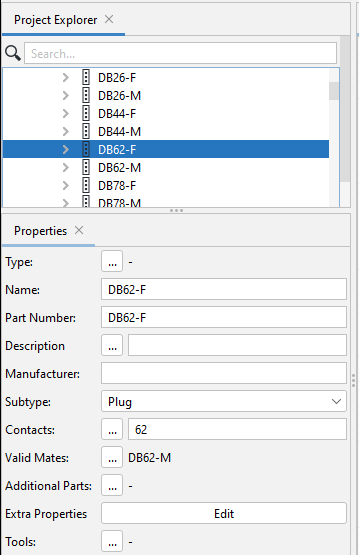
In this example Connector DB62-F is defined as a Plug, its number of contacts as 62 and its Valid Mate is DB62-M
|
|
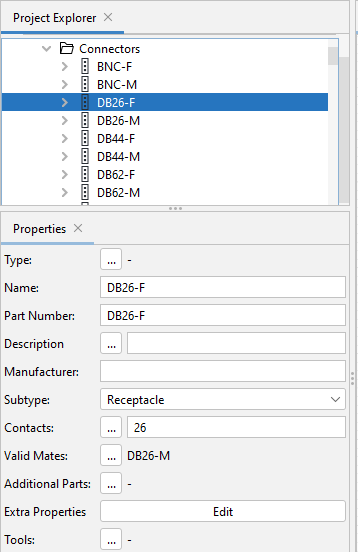
Here it is shown that Connector DB26-F is defined as a Receptacle, with 26 contacts and has a Valid Mate being DB26-M.
|
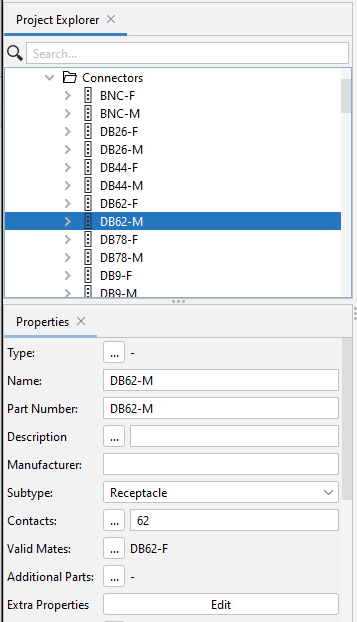
Here it is shown that Connector DB62-M is defined as a Receptacle, with 62 contacts and has a Valid Mate being DB62-F.
|
In these examples of connector mates we see that for them to be Valid Mates, there are two important criteria:
- The subtype of the two connectors must be complementary.
- The two connectors must have the same number of contacts.
If one tries to mate connectors that do not meet these two criteria, then a Design Rule Checks (DRCs) Error Message will appear.
Attempting to mate connectors that are not defined as valid mates, a warning will appear and the connector symbols will fail the snap together. In this regard see Error Message Invalid Mate..
Related Topics:
Mating and Unmating Connectors
Instantiating a Connector in a Project