Adding Connectors to a Black Box
 Connectors and
 Conductor Attach Points may be added to
 Black Boxes in the Library, or to Untyped Black Boxes in a Project.
To add aConnectors to a Black Box:
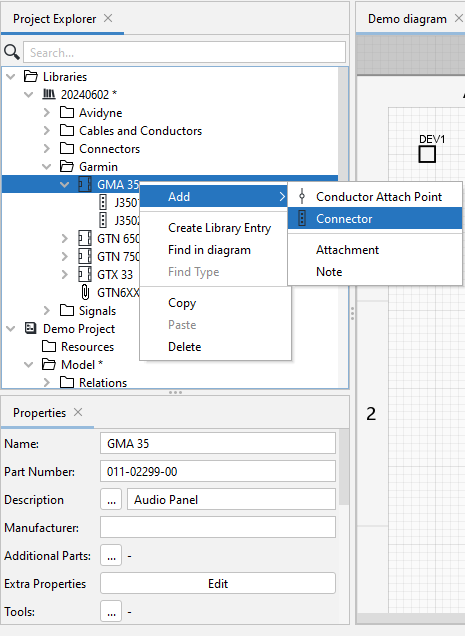
- Right-click theBlack Box in the Libary, click Add, then selectConnector
- In the Properties panel,click the
 icon next to Type. Then in the list of Connectors, select the required Type or define it by adding information in the Properties panel.

Related Topics: