Renaming Contacts on a Connector
When a connector is created and a value entered for the number of contacts, the contacts will be assigned numerical IDs by default.
However, contacts may also be given alphabetic (A, B, C ...) or free text (Power, Ground, 24VDC, ...) IDs.
If a connector is an Instance of a library connector, it will inherit the contact IDs from the library connector (the type), and the contact IDs cannot be changed in the Model unless the connector is untyped. See Untype Model Objects.
There are two ways to change a contact ID:
- In the Project Explorer, expand the connector, select the contact to be changed, then change the ID in the model or in the Properties Panel.
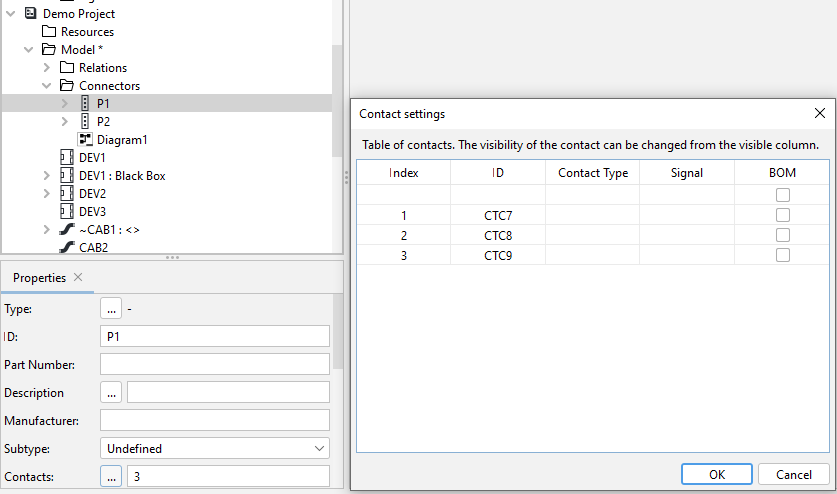
- Select the connector, and in the Properties Panel click the ... icon in the Contacts field. A pop-up will appear with a table showing all the contacts. In the ID column, select the ID of the contact and type a new value.